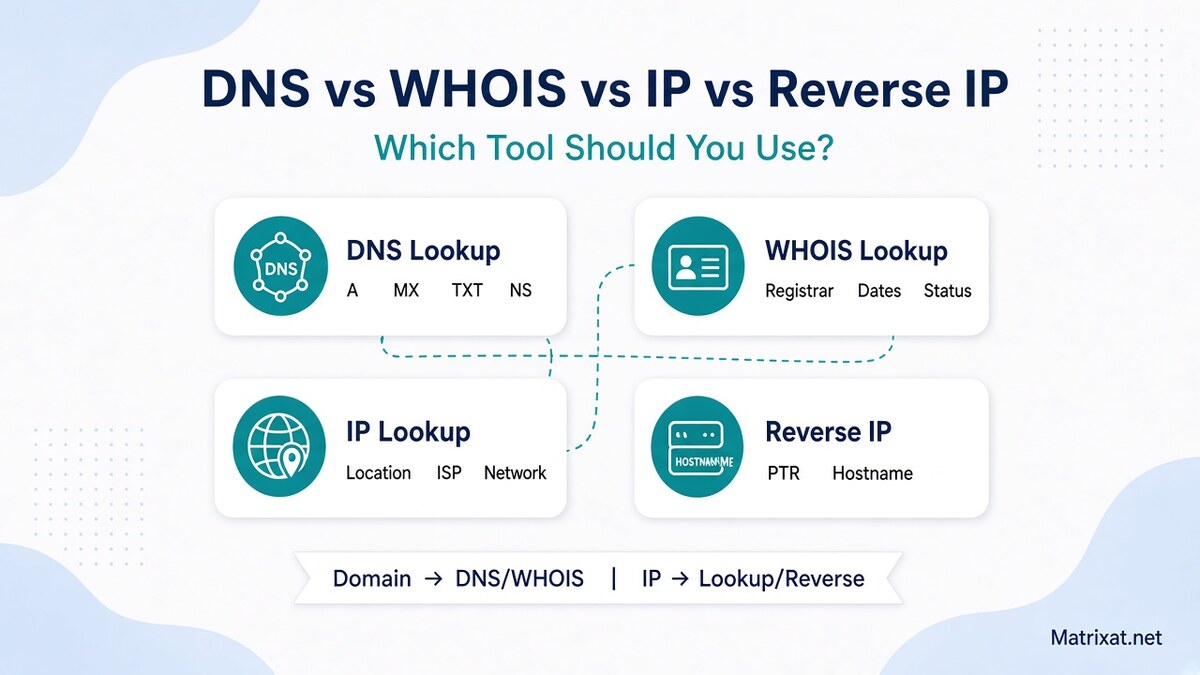
DNS vs WHOIS vs IP vs Reverse IP on Matrixat: which lookup tool to use first, with clear decision paths for domains and IPs.
Choosing between DNS lookup, WHOIS lookup, IP lookup, and reverse IP lookup is mostly about the question you need answered. These Matrixat checker tools overlap in a workflow, but each one looks at a different layer of the internet: live name resolution, registration metadata, network geolocation/ISP context, or the hostname published for an IP.
This guide compares all four tools in plain language, shows when to open each one, and gives practical decision paths you can run today on Matrixat:
For deeper single-tool guides, see DNS Lookup Explained, WHOIS Lookup, IP Lookup, and Reverse IP Lookup. Broader launch checklist: Checker tools guide.
Quick answer: which tool should you use?
| Your question | Best first tool | Why |
|---|---|---|
| Does this domain resolve? What are A/MX/TXT/NS? | DNS Lookup | Shows the live records clients actually use |
| Who registered the domain? Registrar, created, expiry? | WHOIS Lookup | Shows registration metadata (often privacy-redacted) |
| Where is this IP roughly located? Which ISP/network? | IP Lookup | Geolocation + network identity for an address |
| What hostname is published for this IP (PTR)? | Reverse IP Lookup | Reverse DNS / PTR hostname for infrastructure clues |
Rule of thumb: start with DNS for websites and email, WHOIS for ownership and renewals, IP lookup for location/ISP context, and reverse IP when you already have an address and want the PTR hostname.
DNS vs WHOIS vs IP vs reverse IP in one view
| Tool | Input | Output focus | Does not tell you |
|---|---|---|---|
| DNS Lookup | Domain / hostname | A, AAAA, MX, CNAME, TXT, NS and friends | Legal owner, expiry date, street address |
| WHOIS Lookup | Domain | Registrar, dates, status, contacts (or redaction) | Whether the site is online right now |
| IP Lookup | IPv4 / IPv6 | Estimated location, ISP/ASN-style network context | Exact person identity or guaranteed GPS pin |
| Reverse IP Lookup | IP | PTR / reverse DNS hostname | Complete list of every site that might share hosting |
What DNS Lookup is for
DNS Lookup answers: “What does the Domain Name System publish for this name right now?” That includes the web address (A/AAAA), mail exchangers (MX), verification strings (TXT), aliases (CNAME), and delegated nameservers (NS).
Use DNS Lookup when:
- A website fails after a migration and you suspect wrong A/AAAA records
- Mail is bouncing and you need MX / related TXT checks
- You changed nameservers and want proof the new NS set is visible
- You need the IP behind a domain before running IP or reverse IP tools
DNS is operational truth for connectivity. It is not a company directory. Deep dive: DNS Lookup Explained.
What WHOIS Lookup is for
WHOIS Lookup answers: “What does the registration record say about this domain?” Typical fields include registrar of record, creation and expiry dates, status flags, and contact data that may be privacy-redacted.
Use WHOIS Lookup when:
- You need renewal / expiry context for a name you manage or evaluate
- DNS edits “never apply” and you must confirm which nameservers are delegated at the registrar layer
- You are doing light due diligence on a new or suspicious domain age
- You want the registrar of record before opening a transfer or support ticket
WHOIS will not prove a site is healthy. A domain can look perfectly registered while DNS is broken. Guide: WHOIS Lookup.
What IP Lookup is for
IP Lookup answers: “What network and location context is associated with this IP?” You usually get city/country estimates, coordinates, timezone hints, and ISP/network labeling derived from public geolocation datasets.
Use IP Lookup when:
- DNS gave you an A/AAAA address and you want region or provider context
- You are comparing staging vs production IPs after a host move
- You need a quick sanity check that an IP looks like a cloud/VPS range vs a consumer ISP
IP geolocation is approximate. It is useful infrastructure metadata—not courtroom identity. Guide: IP Lookup.
What Reverse IP Lookup is for
Reverse IP Lookup answers: “What hostname does reverse DNS (PTR) publish for this IP?” That string often reveals provider naming patterns or a branded server label.
Use Reverse IP Lookup when:
- You already have a server IP from DNS and want the PTR hostname
- You are documenting infrastructure after a hosting change
- You want a quick “flavor” of the address before SSL/hosting checks
People sometimes say “reverse IP” to mean “every domain sharing this server.” A PTR answer is related but not identical to a full shared-hosting census. Matrixat’s reverse tool focuses on the PTR/hostname direction; confirm domain→IP with DNS Lookup when you need mapping both ways. Guide: Reverse IP Lookup.
Decision paths for real jobs
1) Website will not load after DNS change
- Open DNS Lookup — verify A/AAAA and NS.
- If NS look wrong, open WHOIS Lookup to confirm delegated nameservers at registration level.
- If the A record IP looks unexpected, run IP Lookup and optionally Reverse IP Lookup.
2) Evaluating a domain before you buy or partner
- WHOIS for age, registrar, expiry.
- DNS for whether it already resolves somewhere.
- If an A record exists, IP Lookup + Reverse IP for hosting flavor.
3) You only have an IP from a log or ticket
- Start with IP Lookup for network/location context.
- Add Reverse IP Lookup for PTR hostname.
- If a domain is involved later, use DNS Lookup and WHOIS to connect the name side.
4) Pre-launch / migration checklist
Run DNS and WHOIS first, then IP/reverse on the production address, then continue with SSL and hosting checkers from the Checker tools guide and Checker tools category.
Side-by-side: strengths and limits
- DNS — Best for “is it configured?” Weak for “who owns it?”
- WHOIS — Best for registration lifecycle. Weak for live uptime.
- IP Lookup — Best for network geography/ISP clues. Weak for exact identity.
- Reverse IP — Best for PTR hostname clues. Weak as a complete site inventory.
None of these tools replace responsible abuse reporting channels, legal process, or authenticated admin access to your registrar and host panels.
Common mix-ups (and how to avoid them)
- “WHOIS should show my A record.” Sometimes nameservers appear in WHOIS, but live A/MX answers belong in DNS Lookup.
- “IP lookup finds the website owner.” It estimates network context. For domains, pair with WHOIS; for content issues, use proper reporting paths.
- “Reverse IP lists every customer on shared hosting.” PTR is one signal. Always verify with DNS A/AAAA both directions.
- “If WHOIS is private, DNS is hidden.” Privacy redacts contacts; DNS stays public.
- “One tool is enough before launch.” Launch confidence usually needs DNS + WHOIS at minimum, then IP/SSL/hosting as needed.
Recommended Matrixat workflow (copy/paste)
- Domain known → DNS Lookup
- Need registration facts → WHOIS Lookup
- Have an IP from A/AAAA → IP Lookup
- Want PTR hostname → Reverse IP Lookup
- Still shipping? Continue with SSL/hosting/header checks in the checker tools set
FAQ
Should I run all four tools every time?
No. Run the tool that matches your question. For launches and migrations, DNS + WHOIS are the usual baseline; IP and reverse IP are add-ons once you care about the address behind the name.
Which tool is best for email problems?
Start with DNS Lookup (MX and related TXT). WHOIS helps only if nameserver delegation is wrong. IP/reverse help after you know which mail host IP is in play.
Which tool is best for “is this domain new or about to expire?”
WHOIS Lookup. Then confirm the name still resolves (or not) with DNS.
Can these tools identify a person?
They are infrastructure and registration helpers. Public WHOIS is often redacted; IP geolocation is approximate; reverse DNS is a hostname label. Do not treat any single result as personal identification.
Where should beginners start on Matrixat?
If you have a domain, open DNS Lookup. If you only have an IP, open IP Lookup, then Reverse IP. Read the matching blog guides linked above when you need field-by-field help.
Conclusion
DNS, WHOIS, IP lookup, and reverse IP lookup are complementary—not competitors. DNS shows what the name resolves to, WHOIS shows how the name is registered, IP lookup adds network geography, and reverse IP reveals the PTR hostname for an address. Pick the tool that matches your question, then verify the next layer only when the first answer creates a new one.
Ready to choose? Jump straight into DNS Lookup, WHOIS Lookup, IP Lookup, or Reverse IP Lookup on Matrixat.