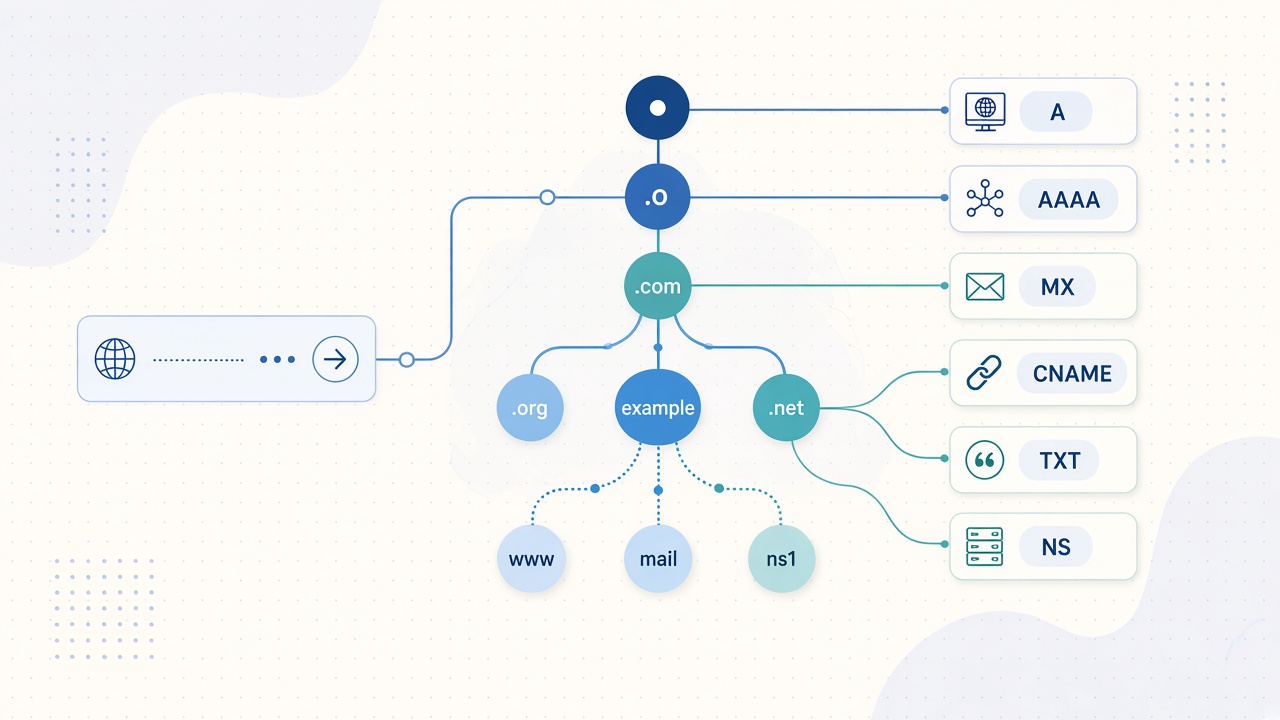
Learn how to read A, AAAA, MX, CNAME, TXT, and NS records with Matrixat DNS Lookup—practical examples, troubleshooting, and trusted references.
When a browser, mail server, or API client reaches a hostname, it is not guessing the path. It asks the Domain Name System for structured answers called resource records. A DNS lookup is how you inspect those answers yourself—before a launch, after a migration, or while debugging email that never arrives.
This guide explains the six record types you will see most often in a practical lookup: A, AAAA, MX, CNAME, TXT, and NS. You can run the same checks instantly with the free Matrixat DNS Lookup tool—no install and no account required.
Try it now: open DNS Lookup on Matrixat, enter a hostname such as example.com, and compare the live answers with the explanations below.
What a DNS lookup actually returns
DNS is a distributed database. Authoritative name servers publish records for a zone; recursive resolvers cache them according to each record’s TTL (time to live). Your lookup query asks a resolver for specific types, and the response lists matching records plus status information.
Core concepts you should keep in mind:
- Owner name — the hostname the record belongs to (apex like
example.comor a subdomain likewww.example.com). - Type — what kind of data the record holds (A, MX, TXT, and so on).
- RDATA — the payload (an IPv4 address, a mail host, a text string, etc.).
- TTL — how long resolvers may cache the answer before asking again.
The foundational types and wire formats are defined in RFC 1035. IPv6 address records are specified in RFC 3596. Vendor-neutral overviews of everyday record types are also documented by Cloudflare’s DNS record reference and the Cloudflare Learning Center.
A records — map a name to IPv4
An A record maps a hostname to a 32-bit IPv4 address. When you type a site into a browser on an IPv4 path, the A record is usually the first answer that matters.
How to read it: if www.example.com has an A record of 203.0.113.10, clients that resolve that name should connect to that address (unless a proxy or CDN sits in front and answers differently).
What to check on Matrixat:
- Does the apex (
@/ root domain) have the A address you expect after a hosting change? - Do
wwwand the apex both resolve, or did you only update one of them? - Are there multiple A records (common with simple load distribution)?
Multiple A records are valid. Resolvers may return them in different orders; that is normal and not automatically an error.
AAAA records — map a name to IPv6
An AAAA record maps a hostname to a 128-bit IPv6 address. Dual-stack sites often publish both A and AAAA so modern clients can prefer IPv6 when available.
How to read it: an AAAA value looks like 2001:db8::10. If users on IPv6-only networks cannot reach you while IPv4 works, missing or wrong AAAA data is a prime suspect.
Practical tip: after enabling IPv6 at a host, confirm AAAA appears in a fresh DNS Lookup. Also confirm your TLS certificate and firewall rules cover the IPv6 address—DNS can be correct while the service on that address is not.
MX records — where email should be delivered
An MX (mail exchange) record tells sending mail servers which hosts accept mail for the domain. Each MX entry includes a preference (priority) number and an exchange hostname. Per RFC 1035, lower preference values are preferred.
Example pattern:
10 mail1.example.com— primary20 mail2.example.com— backup
Critical rule: the exchange hostname should resolve to address records (A/AAAA). MX targets must not point at a CNAME; that combination is forbidden by the mail/DNS specifications and causes delivery failures. Cloudflare’s MX documentation restates the same operational rule for operators.
What to verify:
- MX hosts match your provider (Google Workspace, Microsoft 365, self-hosted, etc.).
- Priorities make sense (primary lower than backup).
- You did not accidentally delete MX while editing web DNS.
If mail is the incident, pair DNS Lookup with Matrixat’s related checkers—especially WHOIS Lookup for registrar context and SSL Lookup when the mail host also serves HTTPS admin panels.
CNAME records — aliases to another hostname
A CNAME makes one name an alias of another canonical name. The alias does not store an IP itself; resolvers continue at the target and follow its A/AAAA (or further aliases).
Common pattern: www.example.com CNAME → example.com, or a vendor hostname such as a CDN endpoint.
How to read it: if you look up blog.example.com and see a CNAME to shops.example.net, the final IP comes from whatever A/AAAA records exist on that target (after following the chain).
Constraints that bite teams:
- A name with a CNAME generally should not also hold other conflicting data at the same owner name (classic “CNAME-and-other-data” problem).
- Apex CNAME support depends on your DNS provider (some offer ALIAS/ANAME-style records instead).
- Long CNAME chains add latency and more failure points—keep them short.
TXT records — human-readable data machines also trust
A TXT record stores text strings. Originally descriptive, TXT is now essential for:
- Domain ownership verification (registrars, CDNs, SaaS admin panels)
- Email authentication: SPF, DKIM, and related policies often live in TXT
- Security and product integrations that ask you to “add this TXT value”
How to read it: values are character strings. Providers sometimes display them with quotes; the meaningful content is the text inside. When verifying a domain, the TXT owner name might be the apex or a special subdomain the vendor specifies—copy both the name and the value carefully.
If a verification fails after you “already added TXT,” re-run DNS Lookup on the exact owner name the vendor gave you, not only on the root domain.
NS records — who is authoritative for the zone
NS records name the authoritative name servers for a zone. At the parent (for example, your registrar delegation), NS data decides which servers the world trusts for example.com. Inside the zone, NS records should agree with that delegation.
How to read it: if NS shows ns1.provider.net and ns2.provider.net, those hosts should answer authoritatively for your domain. After changing registrars or DNS hosts, mismatched NS is one of the most common reasons “updates never appear.”
Cross-check with WHOIS Lookup on Matrixat to see registrar-side name server fields, then confirm the same set with DNS Lookup.
How to run a clean DNS Lookup on Matrixat
- Go to https://matrixat.net/dns-lookup.
- Enter a hostname (apex or subdomain)—for example
example.comorwww.example.com. - Submit the lookup and review returned record groups.
- Interpret A/AAAA for web reachability, MX for mail, NS for authority, TXT for verification/auth, and CNAME for aliases.
- If something looks wrong, wait for TTL expiry or flush local resolver cache, then look up again.
Matrixat is built for this workflow: fast browser tools, no signup wall for standard checks, and related utilities beside the result so you can continue into hosting, IP, or SSL investigation without changing platforms.
Record-by-record troubleshooting cheat sheet
| Symptom | Inspect first | Likely cause |
|---|---|---|
| Website not loading after host change | A / AAAA | Old IPs still published; TTL not expired; only www or only apex updated |
| Site works on some networks only | A / AAAA + NS | Partial propagation; broken IPv6; inconsistent name servers |
| Email bouncing or delayed | MX (+ A/AAAA of MX host) | Wrong MX target; MX pointed at CNAME; missing backup MX |
| CDN or SaaS subdomain fails | CNAME | Wrong alias target; chain too long; apex limitation |
| Provider cannot verify domain | TXT | Wrong owner name; typo in value; looking at cached old TXT |
| DNS edits never seem to apply | NS + WHOIS | Editing the wrong DNS panel; delegation still points elsewhere |
DNS Lookup vs related Matrixat tools
- DNS Lookup — read published resource records for a hostname.
- WHOIS Lookup — registrar, dates, and delegated name servers.
- IP Lookup — geolocation and network context for an address you found in A/AAAA.
- Reverse IP Lookup — hostnames sharing an IP (useful after reading A records).
- SSL Lookup — certificate details once DNS points at the right host.
- Website Hosting Checker — identify hosting/provider clues for a site.
Use DNS first to confirm the map; use the others to understand the terrain behind that map.
Good habits before every go-live
- Lookup both apex and
www(and any app subdomain you ship). - Confirm MX before cutting over email.
- Confirm NS matches the panel where you are editing records.
- Document TTLs before big changes—lower them ahead of migrations when possible.
- Re-check 24 hours later; caches and secondary DNS can lag.
For a broader pre-ship pass across Matrixat’s checker category, see the existing guide: Checker Tools on Matrixat.
FAQ
Is DNS Lookup the same as WHOIS?
No. WHOIS describes registration metadata and often shows delegated name servers. DNS Lookup reads the live resource records clients use. You usually need both when diagnosing “why didn’t my change apply?”
Why do I still see old A records?
TTL caching. Resolvers may serve the previous answer until the TTL expires. Check NS to ensure you edited the authoritative system, then wait and look up again.
Do I need both A and AAAA?
If you offer IPv6 connectivity, publish correct AAAA records. If you only have IPv4, A alone is fine—but do not leave stale AAAA values pointing at dead addresses.
Can I rely on a single MX record?
Many small setups do. A second MX with a higher preference value provides a backup path when the primary mail host is down, if your provider supports it.
Are TXT records only for SPF?
No. SPF is a common TXT use, but verification tokens, DKIM keys, and many SaaS domain checks also use TXT.
Sources and further reading
- RFC 1035 — Domain names: implementation and specification
- RFC 3596 — DNS Extensions to Support IP Version 6 (AAAA)
- Cloudflare Docs — DNS record types
- Cloudflare Learning Center — DNS records
- Cloudflare Learning Center — What is a DNS MX record?
Conclusion
Reading DNS is a practical skill: A and AAAA tell you where traffic lands, MX steers mail, CNAME explains aliases, TXT proves ownership and secures email policies, and NS shows who is in charge. Run those checks on Matrixat DNS Lookup whenever you launch, migrate, or troubleshoot—then continue with WHOIS, IP, and SSL tools on the same platform when you need the next layer of detail.