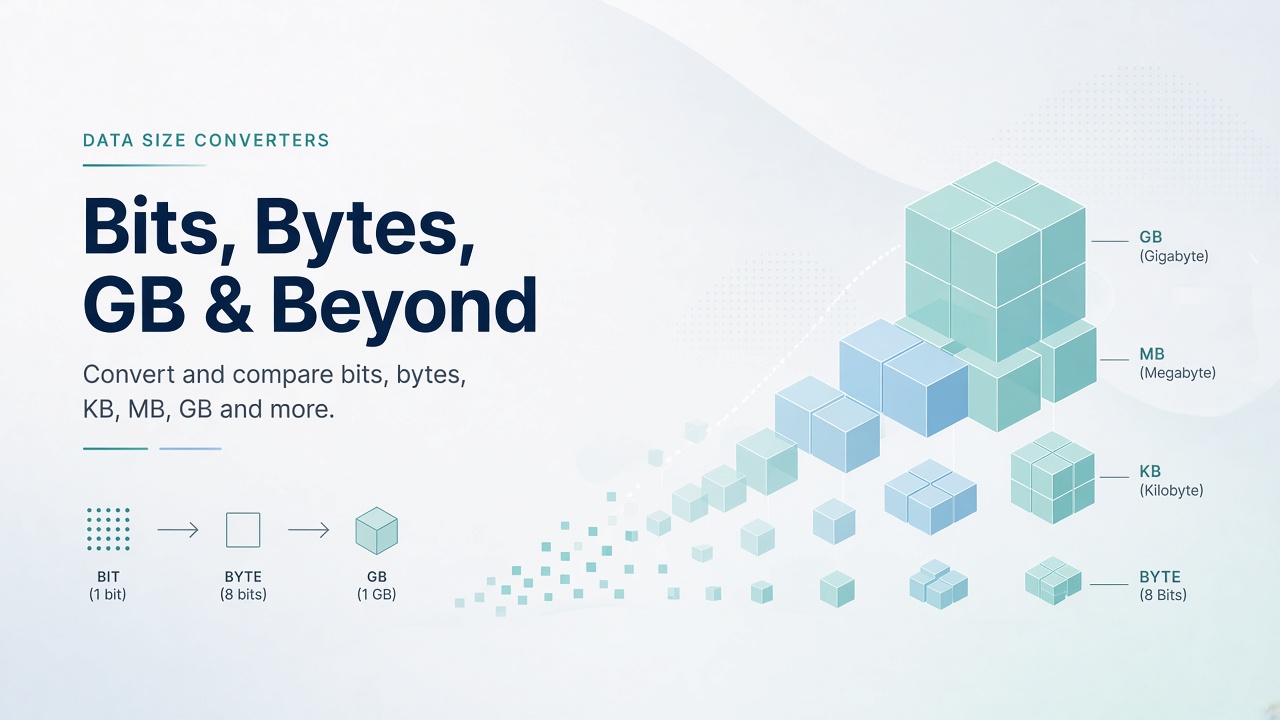
Convert bits, bytes, KB, MB, GB, TB and binary units (KiB, MiB, GiB) with Matrixat data converters—understand decimal vs binary storage math.
Storage ads say 1 TB; your OS reports something smaller. Networks speak megabits; downloads show megabytes. Matrixat data size converters exist to make those translations explicit—including binary units like KiB/MiB/GiB.
Open: Data converter tools.
Bits vs bytes
A bit is a single binary digit. A byte is typically 8 bits. Throughput is often quoted in megabits per second (Mb/s), while file sizes use megabytes (MB). Mixing Mb and MB creates 8× errors—the classic ISP speed test confusion.
Decimal vs binary prefixes
- Decimal (SI marketing): 1 KB = 1,000 bytes; 1 GB = 1,000,000,000 bytes.
- Binary (IEC): 1 KiB = 1,024 bytes; 1 GiB = 1,024³ bytes.
Drive vendors usually use decimal. Many operating systems historically displayed binary-based calculations with SI-looking labels—hence the “missing space.” IEC prefixes (KiB, MiB, GiB, TiB) reduce ambiguity. See NIST SI prefixes and IEC terminology for binary multiples.
How to use Matrixat data converters
- Identify whether your source value is bits or bytes.
- Identify decimal vs binary prefix expectations.
- Open the matching pairwise converter on Matrixat.
- Convert bandwidth plans separately from storage capacities.
Worked scenarios
- File download ETA: convert file MB to megabits, then divide by link Mb/s (and remember protocol overhead).
- Cloud invoice vs OS: convert advertised GB to GiB to approximate what explorers show.
- Log buffers: convert MiB limits to bytes for configuration files.
Troubleshooting table
| Confusion | Cause | Matrixat tip |
|---|---|---|
| Speed feels 8× slow | Mb vs MB | Convert bits↔bytes first |
| Disk “too small” | GB vs GiB | Convert decimal capacity to GiB |
| Backup math wrong | Mixed prefixes | Standardize on one system mid-calc |
Related guides
FAQ
Is a gigabyte always 10⁹ bytes?
In SI/marketing storage, yes. In binary contexts people often mean GiB (2³⁰). Say which one you are using.
Should I teach KiB in schools?
Yes when discussing computers—ambiguity is otherwise guaranteed.
Sources
Conclusion
Stop arguing past each other about “missing” space—translate units explicitly. Use Matrixat data size converters whenever bits, bytes, and prefixes collide.
Bandwidth math people get wrong
A “100 Mbps” plan is 100 megabits per second. A 700 MB download is megabytes. Rough theoretical minimum seconds ≈ (MB × 8) / Mb/s, before overhead. Real transfers are slower due to protocol, Wi-Fi contention, and server limits. Matrixat converters handle the unit step so your mental model starts from the right magnitude.
Storage procurement conversations
When finance buys “2 TB” disks and engineering provisions GiB-based volumes, write both numbers in the ticket. Converting with Matrixat during the meeting prevents the classic dispute that sounds like vendor fraud but is only prefix math.
Logging, buffering, and config defaults
Applications often ask for buffer sizes in bytes while humans think in MiB. Convert explicitly in change requests: “set to 268435456 bytes (256 MiB).” That sentence alone prevents on-call ambiguity.
Teaching juniors with concrete drills
Ask new engineers to convert 1.5 GB to GiB, then 50 MB to bits, then explain which unit an ISP uses on the box. The exercise surfaces misconceptions faster than a lecture.
Additional FAQ
Is a nibble still used?
Yes in some teaching and low-level contexts (4 bits). Convert carefully when old docs mention it.
Do SSDs change decimal vs binary rules?
No—the prefix rules are independent of medium type.
Glossary you can paste into tickets
- bit (b) — binary digit.
- byte (B) — typically 8 bits.
- KB/MB/GB/TB — decimal multiples (×1000).
- KiB/MiB/GiB/TiB — binary multiples (×1024).
- Mb/s vs MB/s — megabits vs megabytes per second.
Paste that glossary into onboarding docs and watch confusing threads shrink. Use Matrixat converters whenever a number in a ticket lacks a unit or uses a suspicious abbreviation.
Cloud FinOps angle
Egress pricing and storage tiers depend on accurate size math. Before approving an architecture change, convert expected monthly egress into the unit your invoice uses. Unit errors become budget errors.
Practical scenarios library
The following scenarios show how teams typically combine Matrixat pages related to Data Size Converters: Bits, Bytes, KB, MB, GB, and Beyond during real workweeks. Adapt them to your process rather than copying them blindly.
- Monday setup: bookmark the core tools you touch daily and verify they still load.
- Midweek incident: reproduce the issue, capture Matrixat output, and attach evidence to the ticket before debating opinions.
- Friday cleanup: convert leftover drafts, assets, or configs into their final shareable forms and archive sources.
- Onboarding: pair a new teammate with this guide and have them complete three hands-on tasks end to end.
- Audit mode: once a month, re-check that public pages, files, or configs still match the expectations documented here.
When a scenario fails, note whether the failure was understanding (needed this article), navigation (needed the category hub), or product gaps (needed a different Matrixat tool). That small retrospective keeps your workflow honest and improves the next publish cycle.
Quality bar matching Matrixat’s best articles
High-performing Matrixat articles share traits you should demand from every guide: precise titles, unique meta descriptions, structured headings, internal links to live tools, practical FAQs, and citations to standards or vendor documentation when claims are technical. This upgraded guide follows that bar so readers can move from explanation to action without leaving matrixat.net.
If you are building the broader 100-article program, treat this category guide as a hub and spin deep posts from individual tools later—exactly as the DNS Lookup deep dive complements the checker hub.
Extended reference for practitioners
This section exists to push the guide from overview into operating manual territory for Data Size Converters: Bits, Bytes, KB, MB, GB, and Beyond. Read it when you own the workflow—not only when you are curious.
Inputs you should prepare before opening Matrixat
- The exact hostname, file, string, unit value, or URL you intend to transform or verify.
- The success criteria written in one sentence (for example, “www and apex both serve HTTPS with the March certificate”).
- A place to store outputs (ticket, password manager, DAM, CMS draft).
- Known constraints: max file size, character limit, allowed formats, compliance rules.
Outputs worth keeping
- Screenshots or copied results for audits.
- Final artifacts with versioned filenames.
- A short note of what changed and who approved it.
Failure modes to expect
- Wrong environment (staging vs production) compared by accident.
- Cached results mistaken for live failures.
- Unit or encoding mismatches that look like product bugs.
- Policy violations when sensitive data is pasted into the wrong context.
Suggested internal link pack
Keep this guide, the category page at matrixat.net/data-converter-tools, and two or three favorite tools in one browser folder. Speed comes from reducing navigation friction, not from memorizing every Matrixat URL.
Review cadence
Revisit quarterly. Tools gain new companions, browsers change defaults, and your own checklist should evolve after incidents. A guide that never updates becomes folklore; a guide tied to Matrixat’s live catalog stays useful.
Final operational checklist
- Open the relevant Matrixat category hub.
- Select the smallest tool that answers your question.
- Run a sample, then the real input.
- Validate the output against success criteria.
- Store evidence and artifacts.
- Link teammates back to this article when onboarding.
If you complete those six steps consistently, you are already operating at the quality bar this upgraded Matrixat documentation aims for—clear intent, live tools, and repeatable outcomes.