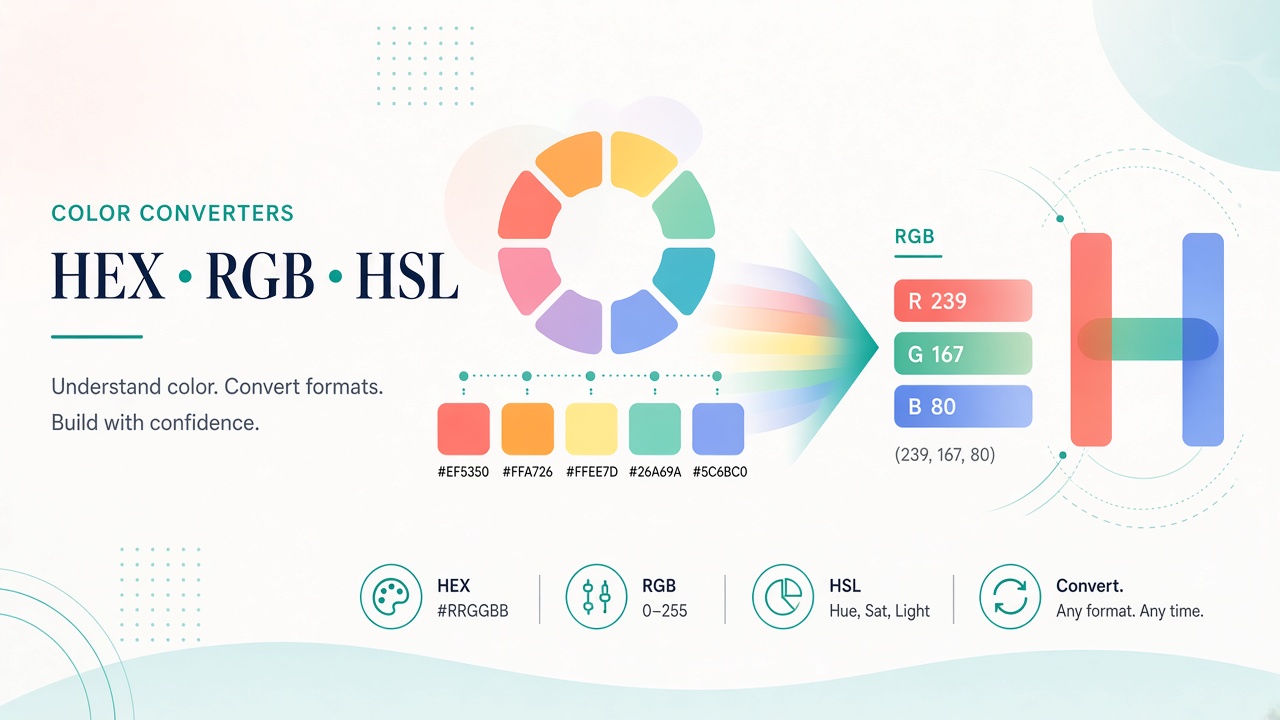
Convert HEX, RGB, RGBA, HSL, HSV, and CMYK colors with Matrixat color tools—keep design tokens consistent across web and print.
Design tokens arrive as HEX from Figma, HSL from CSS experiments, RGB from export dialogs, and CMYK from print vendors. Matrixat color converters translate those representations so product, web, and brand teams share one truth.
Open: Color converter tools and Color Converter.
Web color models you will use
- HEX — compact CSS favorite (
#0ea5e9). - RGB/RGBA — channels plus optional alpha.
- HSL/HSV — friendlier for adjusting lightness/saturation in design systems.
MDN’s color documentation is an excellent companion: CSS color values.
Print and CMYK caveats
CMYK conversions are model approximations—monitors are RGB-ish, printers are ink-limited. Always soft-proof critical brand colors with the print vendor. Matrixat converters help communication; they do not replace calibrated press profiles.
Matrixat workflow for design tokens
- Pick the canonical brand color in one model (often HEX).
- Convert to RGB/HSL for CSS variables and documentation.
- Generate CMYK only when print asks for it; verify proofs.
- Use Color Picker to sample from imagery when reverse-engineering a palette.
Troubleshooting table
| Issue | Cause | Fix |
|---|---|---|
| CSS color “looks off” | Missing alpha / wrong space | Confirm RGBA vs RGB; check color-gamut |
| Print mismatch | RGB→CMYK expectation | Request vendor proof; avoid hard guarantees |
| Token drift | Multiple unofficial HEX variants | Publish one canonical token table |
Related tools
FAQ
Is HEX identical to RGB?
HEX encodes RGB channels compactly. They represent the same triple when alpha is opaque.
Should I store HSL in the database?
Store a canonical form (often sRGB HEX/RGB) and derive HSL for UI controls if needed.
Sources
Conclusion
Keep one canonical color, convert deliberately, and document tokens. Matrixat color converters make the translation step boring—in the best way—so design and engineering stay aligned.
Design system governance
Color drift kills brand trust. Pick canonical tokens, convert them into the formats each platform needs, and store the table in version control. Matrixat converters are the quick translator when a partner asks for RGB while your Figma file shows HEX.
Accessibility considerations
Conversion does not guarantee contrast. After you choose a color, test contrast ratios against WCAG for text and UI states. A perfectly converted HEX can still fail accessibility if the pairing is weak.
Dark mode and HSL adjustments
HSL is convenient for deriving hover/dark variants by tweaking lightness. Convert canonical HEX to HSL, adjust, convert back, and document both. Avoid inventing parallel tokens that slowly diverge from the brand master.
Sampling from imagery
When reconstructing a palette from a photo or screenshot, use Color Picker, then convert to HEX/RGB for tokens. Round carefully—eye-droppered values from compressed JPGs can be noisy.
Additional FAQ
Do HEX values need a #?
In CSS, yes typically. Some design APIs omit it—follow the consumer format.
Can I convert Pantone perfectly online?
Spot color systems are vendor-specific. Use official swatch systems for contractual brand colors.
Handoff templates between design and engineering
A healthy handoff includes: token name, HEX, RGB, usage context, contrast notes, and dark-mode twin if any. Matrixat converters fill the numeric columns quickly so designers spend time on hierarchy instead of arithmetic.
Preventing “almost the same” colors
When two HEX codes differ by one step, UI surfaces look dirty. Convert both to RGB and compare channel deltas. If they are accidental duplicates, delete one token ruthlessly.
Practical scenarios library
The following scenarios show how teams typically combine Matrixat pages related to Color Converters for Designers and Frontend Developers during real workweeks. Adapt them to your process rather than copying them blindly.
- Monday setup: bookmark the core tools you touch daily and verify they still load.
- Midweek incident: reproduce the issue, capture Matrixat output, and attach evidence to the ticket before debating opinions.
- Friday cleanup: convert leftover drafts, assets, or configs into their final shareable forms and archive sources.
- Onboarding: pair a new teammate with this guide and have them complete three hands-on tasks end to end.
- Audit mode: once a month, re-check that public pages, files, or configs still match the expectations documented here.
When a scenario fails, note whether the failure was understanding (needed this article), navigation (needed the category hub), or product gaps (needed a different Matrixat tool). That small retrospective keeps your workflow honest and improves the next publish cycle.
Quality bar matching Matrixat’s best articles
High-performing Matrixat articles share traits you should demand from every guide: precise titles, unique meta descriptions, structured headings, internal links to live tools, practical FAQs, and citations to standards or vendor documentation when claims are technical. This upgraded guide follows that bar so readers can move from explanation to action without leaving matrixat.net.
If you are building the broader 100-article program, treat this category guide as a hub and spin deep posts from individual tools later—exactly as the DNS Lookup deep dive complements the checker hub.
Extended reference for practitioners
This section exists to push the guide from overview into operating manual territory for Color Converters for Designers and Frontend Developers. Read it when you own the workflow—not only when you are curious.
Inputs you should prepare before opening Matrixat
- The exact hostname, file, string, unit value, or URL you intend to transform or verify.
- The success criteria written in one sentence (for example, “www and apex both serve HTTPS with the March certificate”).
- A place to store outputs (ticket, password manager, DAM, CMS draft).
- Known constraints: max file size, character limit, allowed formats, compliance rules.
Outputs worth keeping
- Screenshots or copied results for audits.
- Final artifacts with versioned filenames.
- A short note of what changed and who approved it.
Failure modes to expect
- Wrong environment (staging vs production) compared by accident.
- Cached results mistaken for live failures.
- Unit or encoding mismatches that look like product bugs.
- Policy violations when sensitive data is pasted into the wrong context.
Suggested internal link pack
Keep this guide, the category page at matrixat.net/color-converter-tools, and two or three favorite tools in one browser folder. Speed comes from reducing navigation friction, not from memorizing every Matrixat URL.
Review cadence
Revisit quarterly. Tools gain new companions, browsers change defaults, and your own checklist should evolve after incidents. A guide that never updates becomes folklore; a guide tied to Matrixat’s live catalog stays useful.
Final operational checklist
- Open the relevant Matrixat category hub.
- Select the smallest tool that answers your question.
- Run a sample, then the real input.
- Validate the output against success criteria.
- Store evidence and artifacts.
- Link teammates back to this article when onboarding.
If you complete those six steps consistently, you are already operating at the quality bar this upgraded Matrixat documentation aims for—clear intent, live tools, and repeatable outcomes.