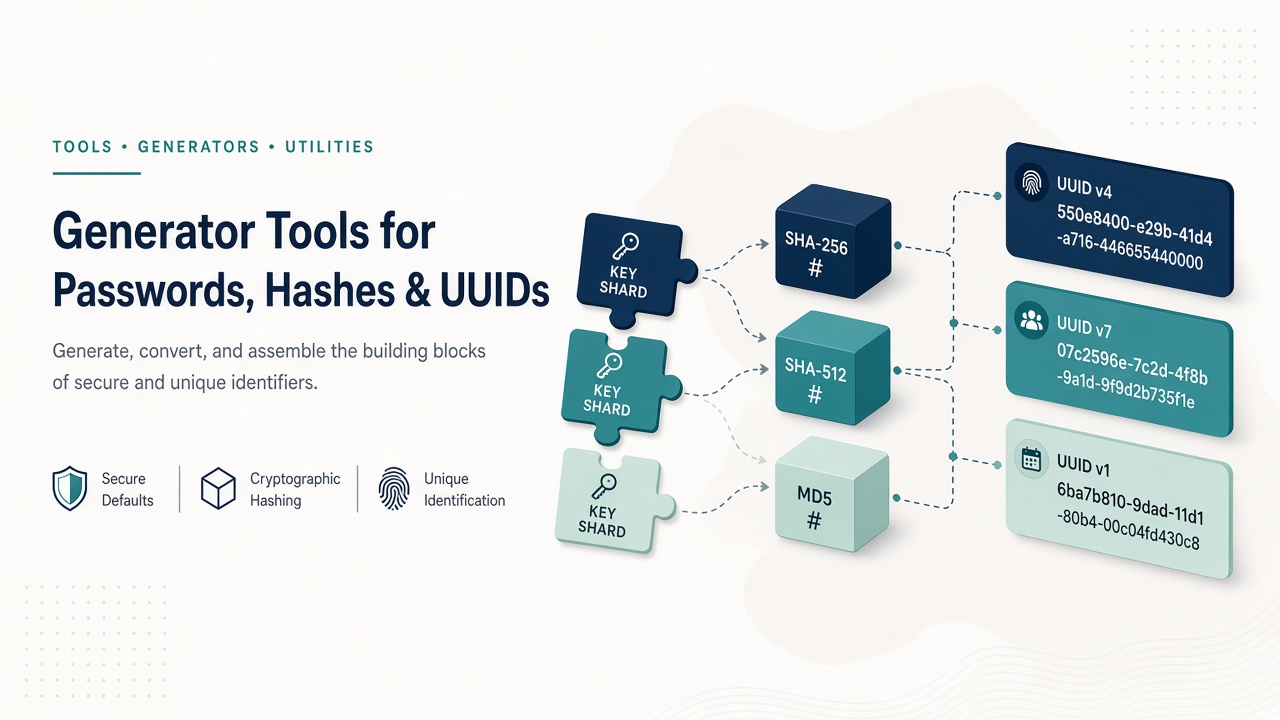
Generate strong passwords, UUIDs, hashes, Lorem Ipsum, and campaign links with Matrixat generator tools—practical guidance for safe everyday use.
Generators create values you should not invent by hand: strong passwords, UUIDs for records, hash digests for integrity checks, and placeholder copy for layouts. Matrixat’s generator category keeps those utilities in one browser workspace.
Start: Generator tools — and test password quality with Password Strength Checker.
Passwords and strength
Password Generator builds high-entropy secrets for accounts and bootstrap credentials. Immediately evaluate output with Password Strength Checker so “long” is not confused with “strong.” Prefer a password manager for storage; use Matrixat when you need a quick, visible generation step during setup.
Guidance aligned with modern practice is summarized by NIST SP 800-63B digital identity guidelines (favor longer memorized secrets, screen common passwords, avoid arbitrary composition rules that reduce usability).
UUIDs and random numbers
UUID v4 Generator creates random 128-bit identifiers common in databases and distributed systems. Random Number Generator covers ranges for testing, raffles, and simulations—state your inclusive bounds clearly when sharing results.
Hash generators: integrity, not secrecy
Hash tools on Matrixat span classic and modern digests: MD5, SHA-1, SHA-256, SHA-512, SHA-3 family tools, RIPEMD variants, Whirlpool, and legacy MD2/MD4 helpers. Bcrypt Generator targets password hashing use cases.
Important: MD5 and SHA-1 are inappropriate for password storage or collision-sensitive security. Prefer SHA-256+ for integrity fingerprints and purpose-built password hashes (bcrypt/scrypt/argon2) for credentials. See NIST SP 800-131A transition guidance for algorithm strength.
Content and link generators
Lorem Ipsum Generator fills wireframes. Slug Generator builds clean URL slugs. Campaign and messaging helpers such as UTM Link Generator, WhatsApp Link Generator, Mailto Link Generator, PayPal Link Generator, YouTube Timestamp Link Generator, and Signature Generator live nearby for go-to-market tasks (also covered in the misc guide).
How to generate responsibly
- Generate passwords offline-capable when policy requires; otherwise use Matrixat then store in a manager immediately.
- Never reuse generated admin passwords across environments.
- Label hash demos clearly so teammates do not mistake digests for encryption.
- For UUIDs, confirm version expectations (v4 vs others) with your schema.
Troubleshooting table
| Issue | Tool | Note |
|---|---|---|
| Password rejected by site | Password Generator + Strength | Meet length/charset rules without weakening entropy |
| Hash mismatch | SHA/MD tools | Check encoding (UTF-8) and whitespace |
| Duplicate UUID panic | UUID v4 | Collisions are negligible for honest v4; check insert bugs |
Related reading
- Misc tools guide — campaign links in depth.
- Developer tools guide — JSON/SQL helpers beside hash workflows.
FAQ
Is an online password generator safe?
Use reputable tools, generate over trusted networks, and store results in a password manager. For highly sensitive keys, prefer audited offline generators.
Can I store passwords as SHA-256?
No for authentication storage. Use bcrypt/argon2/scrypt with salt. SHA-256 is fine for file integrity checksums.
Why so many hash tools?
Legacy systems still emit MD5/SHA-1 checksums. Matrixat includes them for compatibility labs—not as a recommendation for new security designs.
Sources
Conclusion
Generate with intent: strong secrets, clear hashes, clean placeholders. Open Password Generator or UUID v4 Generator on Matrixat, then keep strength checks and hash utilities in the same session when your workflow demands it.
Password generation policy that people will follow
A generator that creates 28-character secrets is useless if staff paste them into shared spreadsheets. Pair Matrixat password generation with immediate storage in a password manager and unique passwords per system. Strength checking catches weak patterns; process catches reuse.
For machine accounts, prefer longer random secrets and rotate on a schedule. For humans, favor length and memorability strategies endorsed by modern NIST guidance rather than punitive complexity rules that encourage sticky notes.
Hashes in real engineering work
Integrity hashing remains valuable: compare two downloads, fingerprint config files, or teach cryptography labs. Matrixat’s wide algorithm list helps when a vendor still documents MD5 checksums on a legacy ISO. Document that you are verifying integrity—not authenticating users.
When migrating password databases, bcrypt generation can help produce samples for test fixtures. Production migrations need careful salt/version handling in application code, not one-off web forms alone.
UUIDs and operational caution
UUID v4 values are excellent opaque IDs. Do not treat them as proof of security by obscurity for private URLs containing sensitive data—always enforce authorization. If your ORM expects UUID strings with dashes, do not strip formatting inconsistently across services.
Placeholder content and brand risk
Lorem Ipsum is fine in internal wireframes. It is embarrassing in production. Add a release checklist item: “no placeholder text.” Slug generators should be reviewed for trademark and tone before publishing URLs publicly.
Additional FAQ
Should I hash passwords with SHA-256 then store them?
No. Use a password hashing scheme like bcrypt/argon2 with unique salts.
Are online hash tools OK for secret files?
Prefer local hashing for confidential documents. Use web hash tools for non-sensitive teaching and public checksum demos.
Can UUID v4 collide?
Theoretically possible, practically ignored at normal scales. Application bugs cause “collisions” far more often than math does.
Generator directory
- Password Generator + Password Strength Checker
- UUID v4 Generator + Random Number Generator
- Bcrypt Generator
- MD/SHA/SHA-3/RIPEMD/Whirlpool hash family tools
- Lorem Ipsum + Slug Generator
- UTM/WhatsApp/Mailto/PayPal/YouTube/Signature helpers
Teaching cryptography without false confidence
Hash playgrounds are excellent for education. Always pair demos with a warning slide: “hashing ≠ encryption.” Students who learn that distinction early become safer engineers. Matrixat’s visible algorithm list makes the variety concrete—then you explain why modern systems deprecate weak digests for security-sensitive work.
Operational runbook snippet
Add to your onboarding runbook: “Generate staging passwords with Matrixat Password Generator, store in the team password manager, never in Git, rotate when someone leaves.” Simple sentences prevent expensive habits.
Practical scenarios library
The following scenarios show how teams typically combine Matrixat pages related to Generator Tools: Passwords, Hashes, UUIDs, and Placeholder Content during real workweeks. Adapt them to your process rather than copying them blindly.
- Monday setup: bookmark the core tools you touch daily and verify they still load.
- Midweek incident: reproduce the issue, capture Matrixat output, and attach evidence to the ticket before debating opinions.
- Friday cleanup: convert leftover drafts, assets, or configs into their final shareable forms and archive sources.
- Onboarding: pair a new teammate with this guide and have them complete three hands-on tasks end to end.
- Audit mode: once a month, re-check that public pages, files, or configs still match the expectations documented here.
When a scenario fails, note whether the failure was understanding (needed this article), navigation (needed the category hub), or product gaps (needed a different Matrixat tool). That small retrospective keeps your workflow honest and improves the next publish cycle.
Quality bar matching Matrixat’s best articles
High-performing Matrixat articles share traits you should demand from every guide: precise titles, unique meta descriptions, structured headings, internal links to live tools, practical FAQs, and citations to standards or vendor documentation when claims are technical. This upgraded guide follows that bar so readers can move from explanation to action without leaving matrixat.net.
If you are building the broader 100-article program, treat this category guide as a hub and spin deep posts from individual tools later—exactly as the DNS Lookup deep dive complements the checker hub.
Extended reference for practitioners
This section exists to push the guide from overview into operating manual territory for Generator Tools: Passwords, Hashes, UUIDs, and Placeholder Content. Read it when you own the workflow—not only when you are curious.
Inputs you should prepare before opening Matrixat
- The exact hostname, file, string, unit value, or URL you intend to transform or verify.
- The success criteria written in one sentence (for example, “www and apex both serve HTTPS with the March certificate”).
- A place to store outputs (ticket, password manager, DAM, CMS draft).
- Known constraints: max file size, character limit, allowed formats, compliance rules.
Outputs worth keeping
- Screenshots or copied results for audits.
- Final artifacts with versioned filenames.
- A short note of what changed and who approved it.
Failure modes to expect
- Wrong environment (staging vs production) compared by accident.
- Cached results mistaken for live failures.
- Unit or encoding mismatches that look like product bugs.
- Policy violations when sensitive data is pasted into the wrong context.
Suggested internal link pack
Keep this guide, the category page at matrixat.net/generator-tools, and two or three favorite tools in one browser folder. Speed comes from reducing navigation friction, not from memorizing every Matrixat URL.
Review cadence
Revisit quarterly. Tools gain new companions, browsers change defaults, and your own checklist should evolve after incidents. A guide that never updates becomes folklore; a guide tied to Matrixat’s live catalog stays useful.
Final operational checklist
- Open the relevant Matrixat category hub.
- Select the smallest tool that answers your question.
- Run a sample, then the real input.
- Validate the output against success criteria.
- Store evidence and artifacts.
- Link teammates back to this article when onboarding.
If you complete those six steps consistently, you are already operating at the quality bar this upgraded Matrixat documentation aims for—clear intent, live tools, and repeatable outcomes.